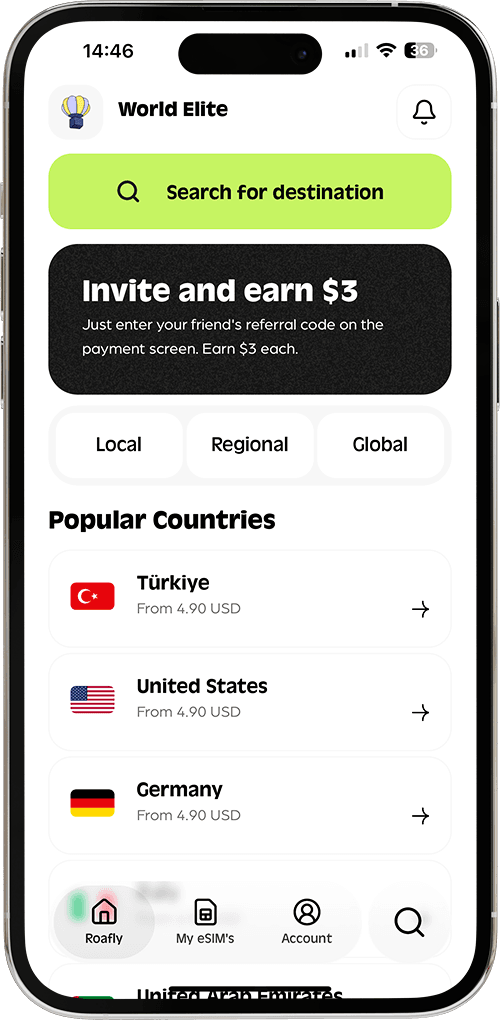
Better value, wherever you travel.
Affordable, reliable eSIM data across 200+ destinations - from major travel markets to places where connectivity is harder to find. Roafly improves price, network access and availability destination by destination, with the details you need to choose confidently.

200+ Destinations
Travel connectivity across major travel markets and harder-to-reach destinations.
Multiple Connectivity Partners
We work with multiple connectivity partners and evaluate options destination by destination.
Local Network Transparency
See network, operator, coverage and important plan details before you buy.
Live Support
Get help before, during and after installation.
Great value doesn't stop at the usual destinations.
From major travel markets to less obvious corners of the map, Roafly works destination by destination to improve price, network access and availability.
What makes Roafly different?
We don't believe better travel connectivity comes from simply offering more data or more network names.
We look at the whole experience — price, network access, availability, transparency and support — destination by destination.
Better value across more destinations
We continuously work to improve price, network access and availability across 200+ destinations.
Our goal isn't to be the cheapest everywhere. It's to offer stronger value for the price you pay.
Networks chosen for real-world value
More networks are not automatically better.
For each destination, we balance network quality, availability and price to build plans that make sense for the trip.
Know your network before you buy
We believe you should know what you're buying.
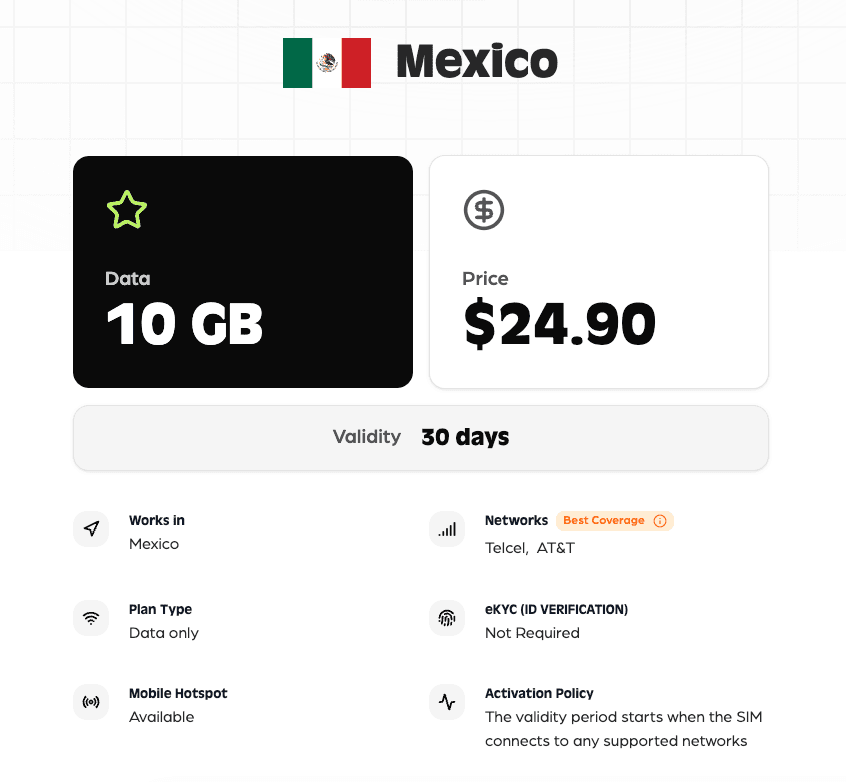
Where available, plan details show supported local networks, operators, coverage, data allowance, validity, hotspot availability and activation information before checkout.
Coverage beyond the obvious
Roafly is built for more than the world's most popular destinations.
From major travel markets to smaller and harder-to-serve destinations, we work across the whole map to improve access to affordable travel data.
We don't optimize for the biggest number. We optimize for better value.
More data doesn't always mean a better plan.
More networks don't automatically mean better connectivity.
And the lowest price doesn't always mean the best experience.
For each destination, Roafly looks at the balance between:
PriceNetwork accessCoverageAvailabilityPlan conditions
Our goal is to offer a useful combination of all five — not simply the biggest number on a product card.
Know what you're connecting to.
When you buy a travel eSIM, the amount of data is only part of the decision. That's why we make important connectivity details visible before purchase.
Local Networks
See the supported network or networks for your plan.
Operators
Know which local connectivity partners your plan uses.
Coverage
Understand where the plan is designed to provide service.
Data & Validity
Know exactly how much data you get and how long it lasts.
Hotspot
See whether hotspot use is supported.
Activation
Understand when and how the plan becomes active.
From the world's biggest travel markets to the farthest corners of the map.
Travel doesn't always follow the usual routes.
Roafly is built for journeys across the whole map — from the United States, Italy and Japan to Morocco, Costa Rica, Fiji, Seychelles and beyond.
We continuously work across destinations where international connectivity can be more expensive, less available or harder to compare.
Wherever your journey takes you, we are working to make connectivity easier to understand and offer better value.
Explore the world with RoaflyTrusted by thousands of travelers worldwide.
See what travelers say about using Roafly on their journeys.
4.3/5

Rated on Trustpilot

Consumer

bgunay
JM Blais
Your connection, from purchase to travel.
Roafly is designed to help you throughout the journey — from choosing your plan to staying connected when you're already abroad.
Choose your destination
Find the country you're visiting and compare available plans.
Get your eSIM instantly
Once your purchase is complete, your eSIM is added to your Roafly account.
Install before you travel
Follow the step-by-step installation guide for iPhone or Android.
Connect when you arrive
Enable your Roafly eSIM and connect when you reach your destination.
All your eSIMs. One place.
Manage your Roafly eSIMs from wherever you are.
See your eSIMs
Keep your purchased eSIMs together in one place.
Track your remaining data
See how much data you have left whenever you need to.
Label your eSIMs
Give each eSIM your own label.
Top up
Add data to an active eSIM without installing a new one.
Stay informed
Receive important updates through push notifications and email.

Bought an eSIM for someone else?
If your eSIM has not been installed yet, you can give it to a friend or family member using their referral code.
No physical SIM. No shipping. Just share the code and let them use the eSIM for their trip.
We're here before, during and after installation.
Before you travel
Detailed installation guides
Follow step-by-step iPhone and Android instructions with screen-by-screen guidance.
View Installation GuidesWhen you're connected
Help when something isn't working
Our Help Center covers common installation, device and connectivity issues.
Visit Help CenterWhen you need a human
Live support
Contact our support team when you need personal help.
Contact SupportMake secure payments

Frequently Asked Questions
An eSIM, or embedded SIM, is the modern successor to traditional SIM cards. Unlike physical SIM cards, an eSIM is built directly into your device, allowing you to download and switch carrier profiles without needing a physical SIM. This means no more losing tiny SIM cards or fumbling with paperclips to change them. Simply put, eSIM technology streamlines your mobile experience, making it easier and more convenient to stay connected, especially when traveling.
To set up your Roafly eSIM, make sure you're connected to Wi-Fi first. We suggest installing and activating your eSIM shortly before you leave for your trip. Although it's possible to activate your eSIM after you've arrived at your destination, remember that a Wi-Fi connection is necessary for the setup. This ensures you're connected and ready to go the moment you land.
If you're trying to set up the eSIM manually, you might encounter issues. Please try loading it via the QR code. You can save the QR code to your gallery by tapping the "share" button in the app or by taking a screenshot. In the eSIM installation section, you'll see an option to "Open Photos" when scanning the QR code. Select the QR code from your gallery.
If the problem persists, please restart your phone and try the process again. Additionally, please watch the setup instructions video in the app.
After installing your eSIM, you may need to make some adjustments in your device's settings to connect to the internet. Make sure to enable the Data Roaming option under Settings -> Cellular -> eSIM. This setting may be called differently depending on the device or language, such as 'International Data' or 'Data Roaming'. After enabling this option, you should be able to connect to the internet without any issues.
It allows travelers to seamlessly connect to local networks without the hassle of physical SIM cards. For travel companies, offering eSIM services means a chance to deepen customer relationships by providing a valuable, branded digital experience. With the widespread availability of eSIM technology and changing roaming charge dynamics, eSIMs offer a cost-effective, convenient solution for staying connected abroad. Roafly leverages these advantages to ensure our customers enjoy the best possible connectivity during their travels.
Roafly eSIM plans come with a specific data limit and validity period. If you exhaust your data before your plan's expiry date, your internet access will be paused. Likewise, when the validity period ends, so does your access, regardless of data usage. But don't worry! You can easily top up or purchase a new plan directly through the Roafly app to continue enjoying uninterrupted service. This way, you're never left without a connection when you need it most.
Solve common eSIM setup issues in minutes with our step-by-step Help Center.
Find installation guides, device checks and troubleshooting steps in one place.
Go to Help CenterCheck if your phone model supports eSIM in seconds.
Is My Device Compatible?Learn how to activate your eSIM with our visual guides.
Step-by-Step Setup GuideStill need help? You can reach out to us via our Contact Page.
The Modern Traveler’s Handbook
Practical guides for staying connected, choosing the right eSIM and preparing for your next trip.
Oct 28, 2026
Best eSIM for Aruba: Plans for a Week on the Island

Lena Hartley
Oct 27, 2026
Day of the Dead in Mexico: Where to Go and How to Plan

Ethan Brooks
Oct 27, 2026
Best eSIM for Mauritania: Plans for Cities and Desert Trips
Ethan Brooks
Oct 27, 2026
Best eSIM for Nigeria (2026): Plans, Prices & Coverage

Sophie Callahan
Oct 27, 2026
How to Get Internet in Saudi Arabia as a Tourist
Lena Hartley
Oct 27, 2026
Barbados SIM Card for Tourists: Flow, Digicel & Prices
Lena Hartley